Say what you want to learn. The keys show it.
Fretling's sister app, for the piano, on Mac, iPad and iPhone. Say what you want to learn in plain language and see it on the keys, fingered for each hand. Play a chord on a MIDI keyboard and Pianoling names it.
Coming soon to the App Store: Mac, iPad and iPhone Get Pianoling on the App Store Read the guide
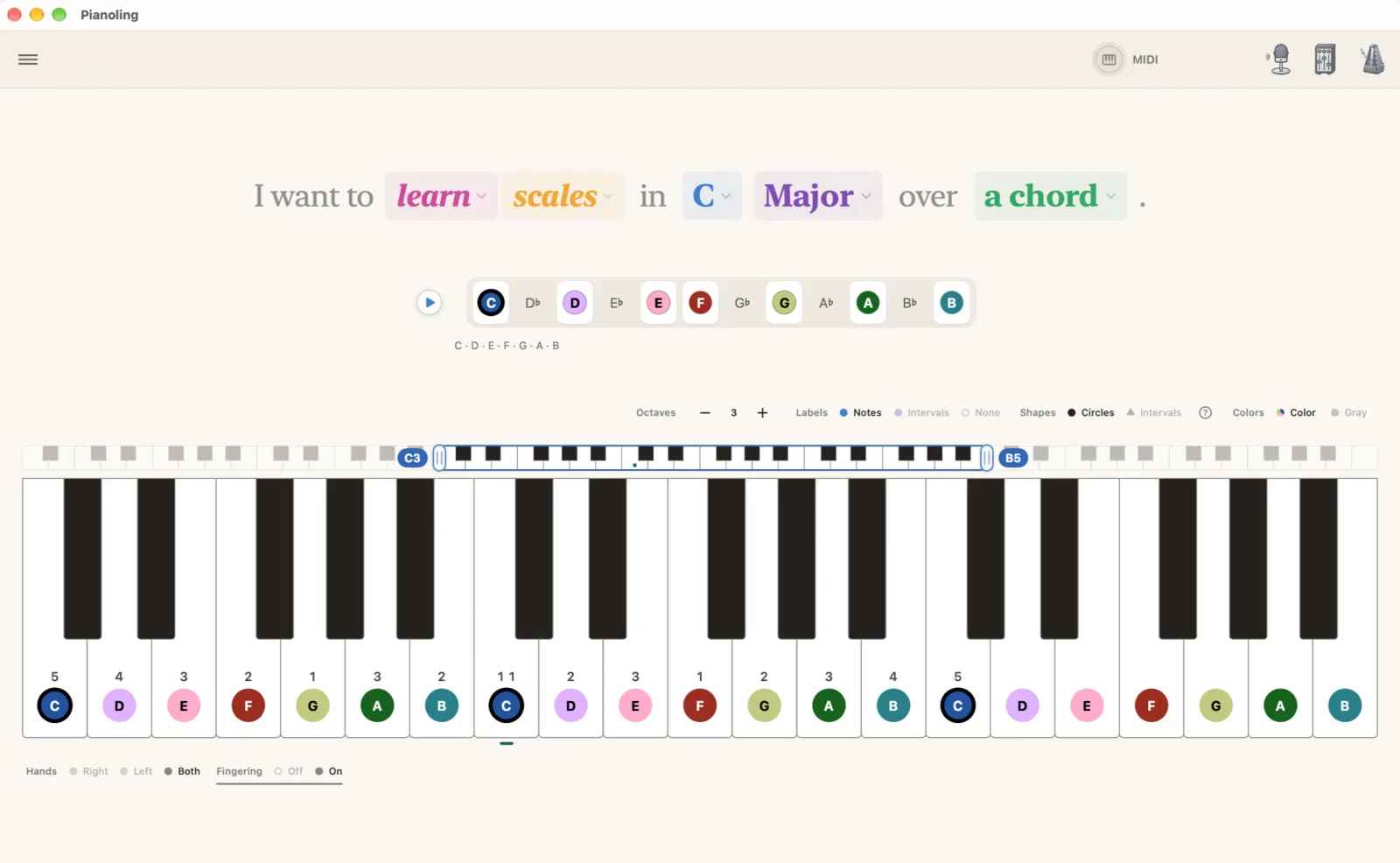
Fingered, for both hands
Every scale and arpeggio carries its finger numbers. Pick the right hand, the left or both, and each key shows the finger that plays it.
Major, Minor, both Pentatonics, Blues, and Harmonic and Melodic Minor are free. The modes, Dorian onward, are Pro. Pro
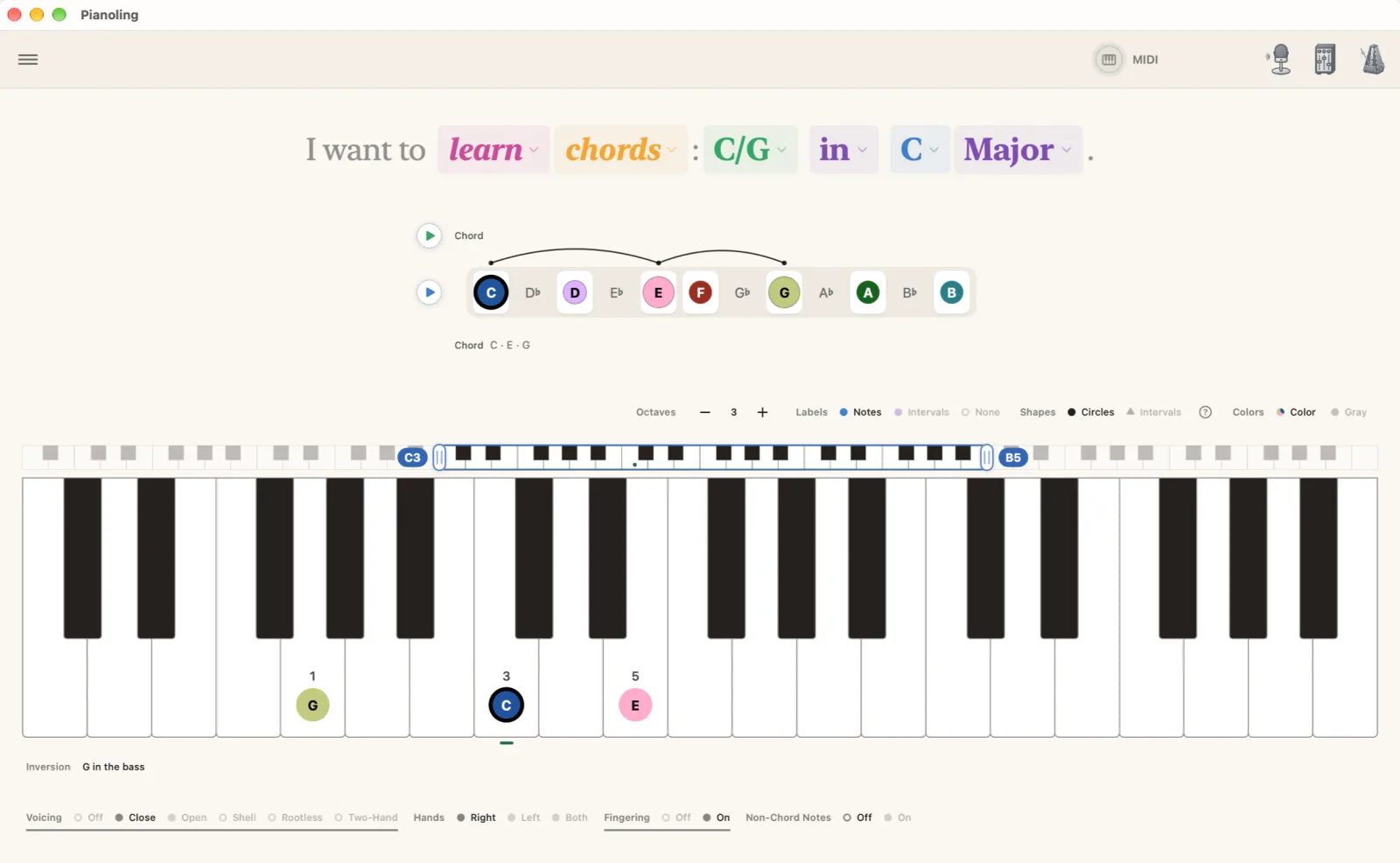
Every chord, every inversion
The chords of your key, in root position or any inversion, close or open, over the bass you pick. The Chord Atlas brings every quality without leaving the key.
The jazz voicings, shell, rootless and two-hand, are Pro. Pro
Play it, name it
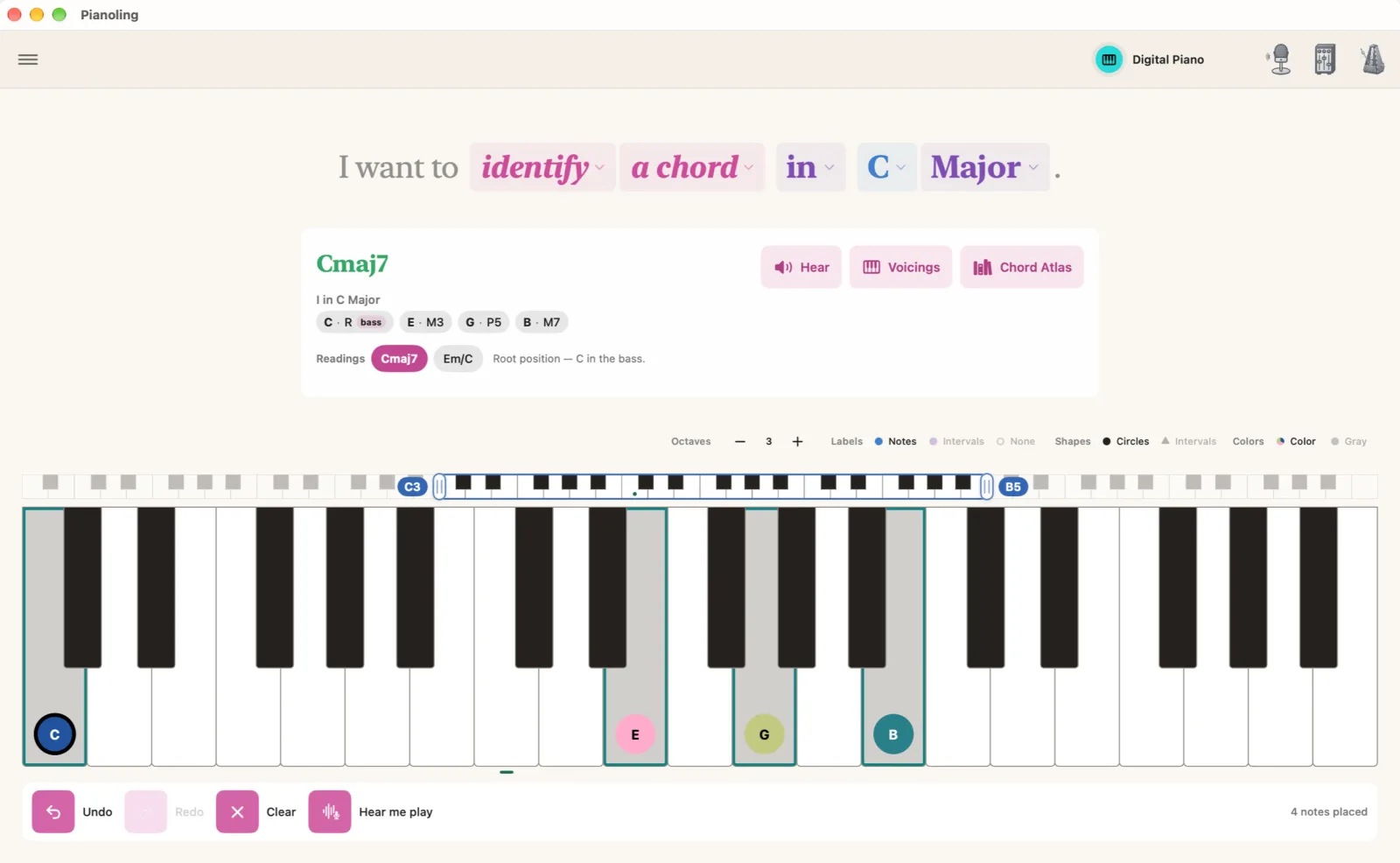
Play a chord on a MIDI keyboard, or tap it on the keys on screen, and Pianoling names it, gives its numeral in your key, and lists the other readings. Both are free.
Or play it on an acoustic piano and let Pianoling listen through the microphone. Best on simple chords, and on single notes in the middle of the keyboard. Pro
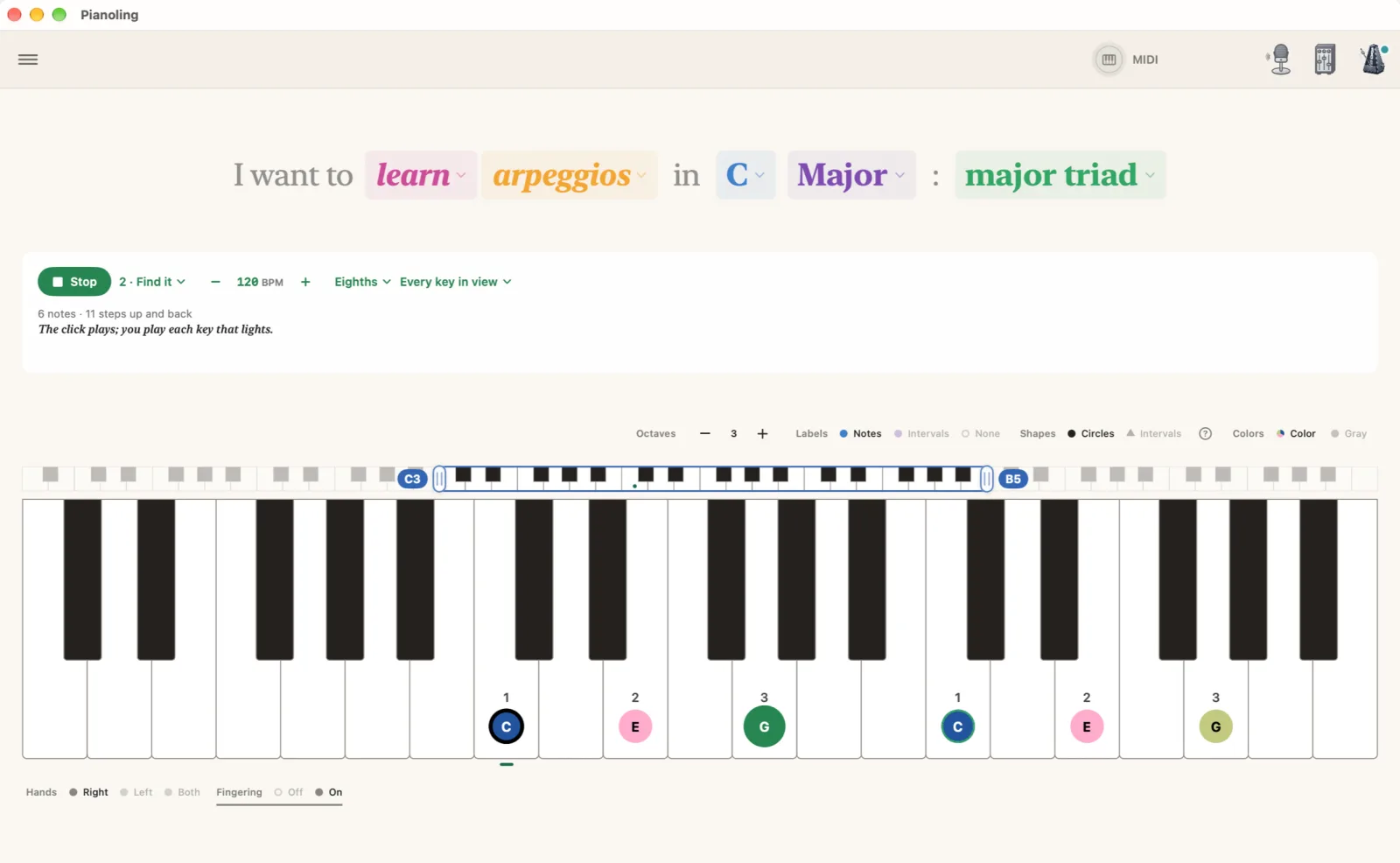
Arpeggios, step by step
Five steps for every arpeggio. Hear it and Find it are free. Play it, In time and Blind grade what you play, over MIDI or by the microphone, in one key or around the cycle. Pro
The chords that hold a note
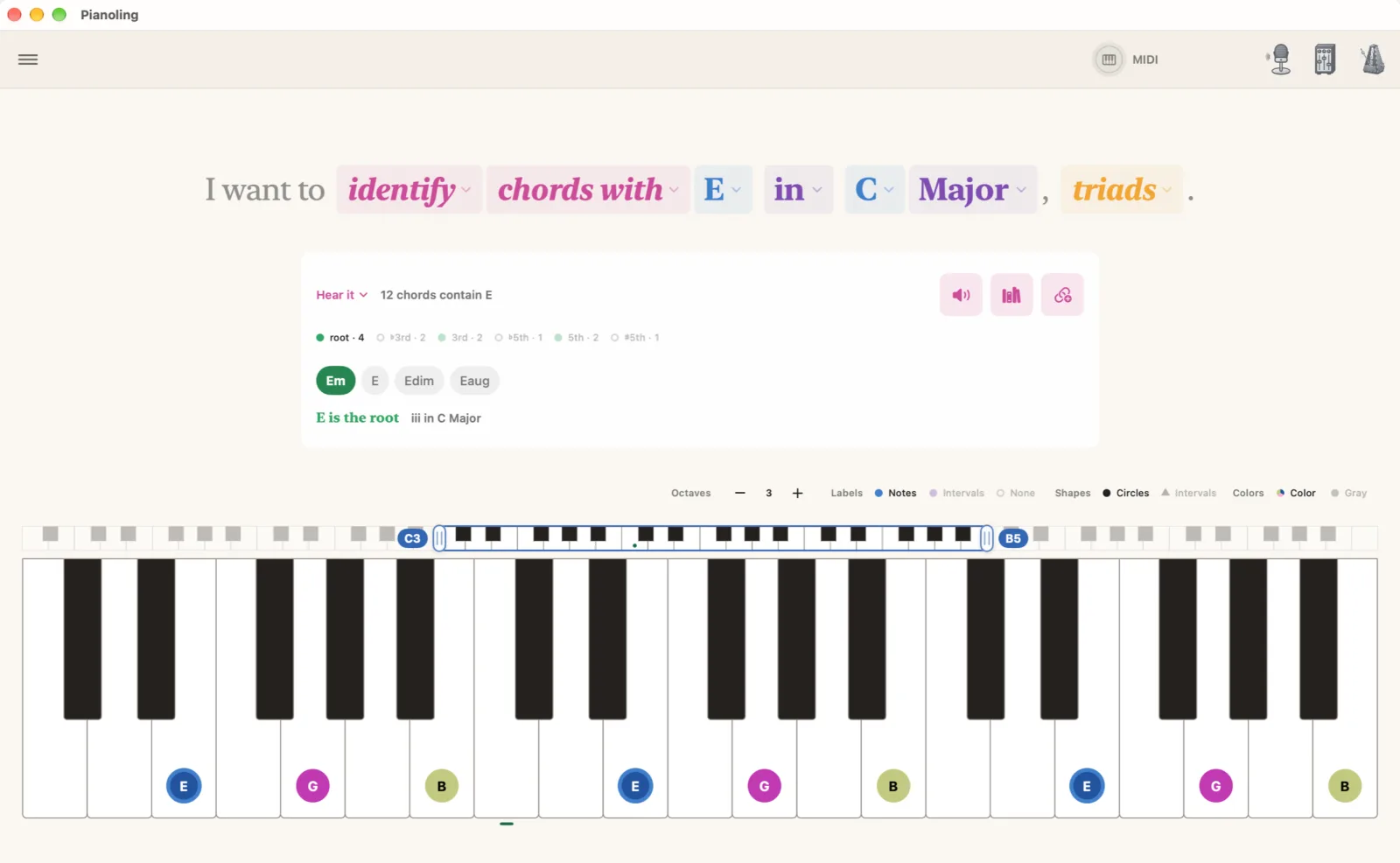
“I want to identify chords with E in C Major.” Every chord in your key that holds the note, from triads up to thirteenths, with the note's role in each.
Practice them with Hear it, Find it and Name it, free. Play it grades you. Pro
Sound and practice
- The grand piano: an acoustic grand that rings with the resonance of its own strings.
- The mixer: balance the notes, the chords and the metronome.
- The metronome, complete: tempo, meter, subdivisions, tap and its sounds.
- The drums: the step sequencer and its pattern library. Pro
- Undo and Redo for your edits, with ⌘Z and ⇧⌘Z on a keyboard.
Free for good. Pro is the deep end.
What's free
- Scales, Chords, Triads and Arpeggios in every key
- Major, Minor, Pentatonics, Blues, Harmonic and Melodic Minor
- Fingering for each hand, inversions, close and open voicings
- Naming a chord tapped on screen or played on a MIDI keyboard
- The chords that hold a note, and the Chord Atlas
- Hear it and Find it on every arpeggio
- The grand piano, the mixer and the metronome
What Pro adds
- The modes, Dorian to Locrian
- Shell, rootless and two-hand voicings
- Graded practice: Play it, In time and Blind on every arpeggio, and Play it on the chords that hold a note
- Live Detect: naming what you play on an acoustic piano
- The drums and their sequencer
One purchase, once: no subscription. Try Pro free for 14 days. The unlock covers every Mac, iPad and iPhone signed into your Apple Account, and supports Family Sharing. Nothing that is free today moves behind the unlock later. The full comparison
Private by default
Pianoling runs entirely on your device. There is no account, no analytics and no tracking. What you play on a MIDI keyboard stays on your device, and Bluetooth is used only to connect the keyboard you pair.
The microphone is used only by Live Detect, which graded practice listens through when no MIDI keyboard is connected. Audio is analyzed as it arrives and is never recorded, stored or sent. The privacy policy